Building a good website with business goals is not an easy thing, various mistakes are bound to be made in building a website, especially for beginners and micro/small businesses such as MSMEs. In real practice, creating a professional website sometimes has many obstacles, mistakes often occur, even by professionals. These mistakes, such as the 10 Common Mistakes in Creating a Website, can certainly be detrimental to business efforts, as well as reduce income and user experience which will decrease along with a bad website, and reduce SEO (Search Engine Optimization) rankings.
1. Unresponsive Design
Responsive design on a website is very important, because it is related to the appearance of the website that will appear when accessed by users. Make sure the appearance of the website design adapts to the size of the device screen, be it smartphone, tablet or desktop. If the design is not responsive and the design placement is chaotic, then visitors using mobile devices or other smart tech devices will experience difficulty in accessing products or services, causing them to leave the website.
1.1 Main Causes of Unresponsive Design
Many factors influence this, such as inflexible font sizes, images and multimedia elements that are not optimal. The use of websites with old templates, as well as the lack of screen display testing on several different devices, before launching the website adds to the unresponsiveness of a website
1.2 Benefits of Implementing Responsive design
With a responsive website, the user’s surfing experience will improve, visitors can access the website easily from various devices. Responsive design will help increase conversions, be it sales, leads, or engagement.
2. Complicated Navigation
Avoid using too many sub-menus or unintuitive layouts because they will confuse visitors. Use a simple and easy to understand menu structure. Make sure important pages are easy to access with just a few clicks. Add a search feature on the website so that visitors can immediately find the keywords they need.
2.1 How to avoid Complicated Web Navigation
Use a simple menu structure, choose the optimal number of menus and create a logical navigation hierarchy. Implement Responsive Design: Make sure website navigation remains easy to use on mobile and desktop devices.
3. Slow website loading

A website with a slow loading process will damage the user experience and also have a negative impact on SEO. Google really prioritizes website speed in its search results, so if a website is slow, it is likely that its ranking will drop.
Common causes of a slow website include images that are too large, excessive use of plugins, or poor hosting. Optimize images with compression, use a Content Delivery Network (CDN) to speed up load times, and choose reliable and fast hosting. You can also utilize tools like Google PageSpeed Insights to measure and improve website speed.
3.1 How to overcome slow website loading
Website loading is slow, don’t worry knillUse image techniques with tools such as TinyPNG or CDN (Content Delivery Network) services. With images, the choice of hosting must be on target to reduce file size.
4. Content is rarely updated
Search engines like Google prefer websites that frequently upload the latest content and are updated in line with fresh information. Create a consistent content update schedule. Add a blog to provide new information regularly and update static content when products, services or other important information changes.
4.1 Decrease in interest from website visitors
This often happens on various websites and platforms, because there are no updates or the latest updates and this results in less than optimal performance
5. Using too many visual elements
A design that is too busy, full, with excessive visual elements, can distract visitors’ focus. Too many images, animations, or videos can also slow down the loading time of a website page. Good design must have a balance between function and aesthetics. Use visual elements that support the main purpose of the website, not those that are only decorative. Make sure the design remains clean, with enough white space to make it easier to navigate and focus on important elements.
5.1 Visually Unfriendly Design
This can happen if the appearance of the website is filled with images and things that are not directly connected to the purpose of the website, making its performance low and decreasing.
6. Not paying attention to SEO
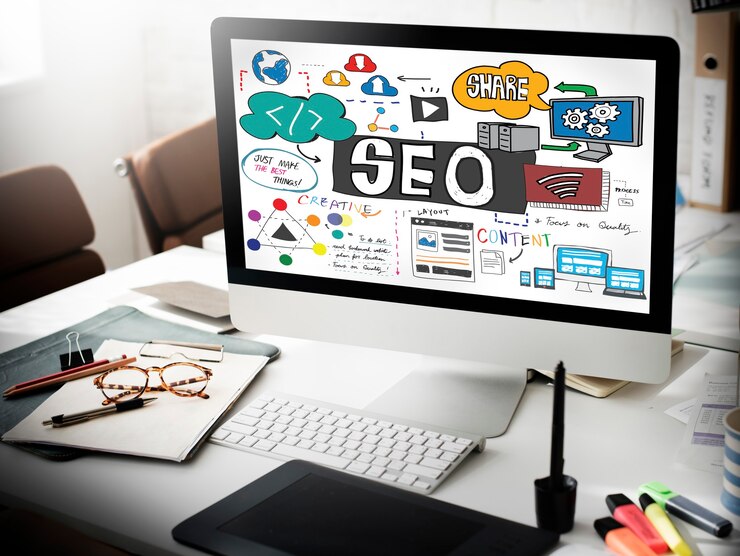
Search Engine Optimization (SEO) is an important process so that your website is easily found by users in search engines. Many website owners do not optimize SEO elements such as meta tags, headings, or loading speed, which makes their websites difficult to find. Optimize all on-page elements such as page titles, meta descriptions, headings and relevant keywords. Also make sure the website has a clear and simple URL structure, as well as good loading speed.
7. Unclear purpose of the website
A website must have a clear purpose, whether to sell products, display a portfolio, provide information, or collect leads. If the purpose of the website is not clear, visitors will have difficulty understanding what they are getting from the website in question and will end up leaving it.
8. Not paying attention to website security
Website security is an aspect that is often overlooked, even though it is very important to protect user data and prevent cyber attacks. Unsecured websites are at risk of malware attacks, phishing, or data theft. Use SSL protocol to secure the connection between the server and users. Always update the CMS, plugins and themes used to close security gaps. In addition, make sure you have a regular backup system so that important data can be restored if a problem occurs.
8.1 Risks arising from web security are not guaranteed
Cyber attacks and malware have the risk of attacks that can damage internal and external data. Theft of user data has big implications in losing personal data and sensitive customer information. Defacing website: Changes in the appearance or content of a website that damage the company’s image.
9. Weak or Unclear Call-to-Action (CTA).
CTAs are important elements that direct visitors to take a specific action, such as registering, purchasing a product, or contacting you. Unclear or hidden CTAs will confuse visitors, causing you to lose potential conversions. Create a CTA that is clear, stands out and attracts attention. Use strong language and invite visitors to act immediately, for example with words like “Register Now” or “Buy Now”. Place CTAs in easy-to-access areas, such as at the top of the page or after important paragraphs.
10. Not testing before launching
Launching a website without testing it first is a common, dangerous mistake in creating a website. Many bugs or errors may not be visible during development, but will be visible to visitors once the website is online, which can ruin the user experience. Test the website on various devices and browsers to make sure everything works well. Use speed and function testing tools to identify and fix problems before official launch.
10.1 Why is website testing often ignored?
Website testing is often neglected because of limited time, testing costs which are thought to be used for other things require extra money and time. Lack of technical knowledge means that many website owners or developers don’t understand the importance of testing or don’t have the resources to do it.
Breef Studio Your Website Solution!
Breef Studio is here as a website solution that you want to share your business needs, to avoid the mistakes in making a website that have been described above, then you need professional website services in their field, visit the breef website for information on our services and products Breef Website Creation Services Studio
Conclusion
Building an effective website requires attention to various aspects, from design to SEO. Avoiding some of the common mistakes above can improve the user experience and overall performance of your website. However, by understanding the 10 Common Mistakes in Creating a Website and how to avoid them, you can create a website that is
Digital Agency
we specialize in maximizing your online visibility and driving measurable results through strategic SEO solutions. We’re here to help businesses like yours rank higher, attract quality traffic, and achieve long-term growth in the ever-evolving digital landscape.